
What Designers Need to Know About iOS 27
WWDC 2026 just kicked off with Apple announcing iOS 27. This year’s release focuses mostly on performance and refinement, but there are some interesting changes and new useful tools that designers should know about.

Note: These are early discoveries based on what Apple has presented and the first developer beta of iOS 27. Last year, a lot of things were tweaked and changed from the first beta to the final release, so expect some things to change this time around too.
You can no longer ignore Liquid Glass
To give app developers and designers time to adapt their app to Liquid Glass, iOS 26 allowed for a string to be included in the app which turned off the Liquid Glass appearance of native components. Starting from iOS 27 (meaning apps built with Xcode 27), this string will no longer work.
This simply means that if your app uses native components (which it should), these components will use the Liquid Glass appearance on devices using iOS 27, whether you want it or not.
UI changes
Tweaks to Liquid Glass
The look of Liquid Glass is getting an update in iOS 27, to refine the glass look and improve legibility.
It seems Apple has tweaked Liquid Glass to have more defined borders instead of relying on drop shadows.
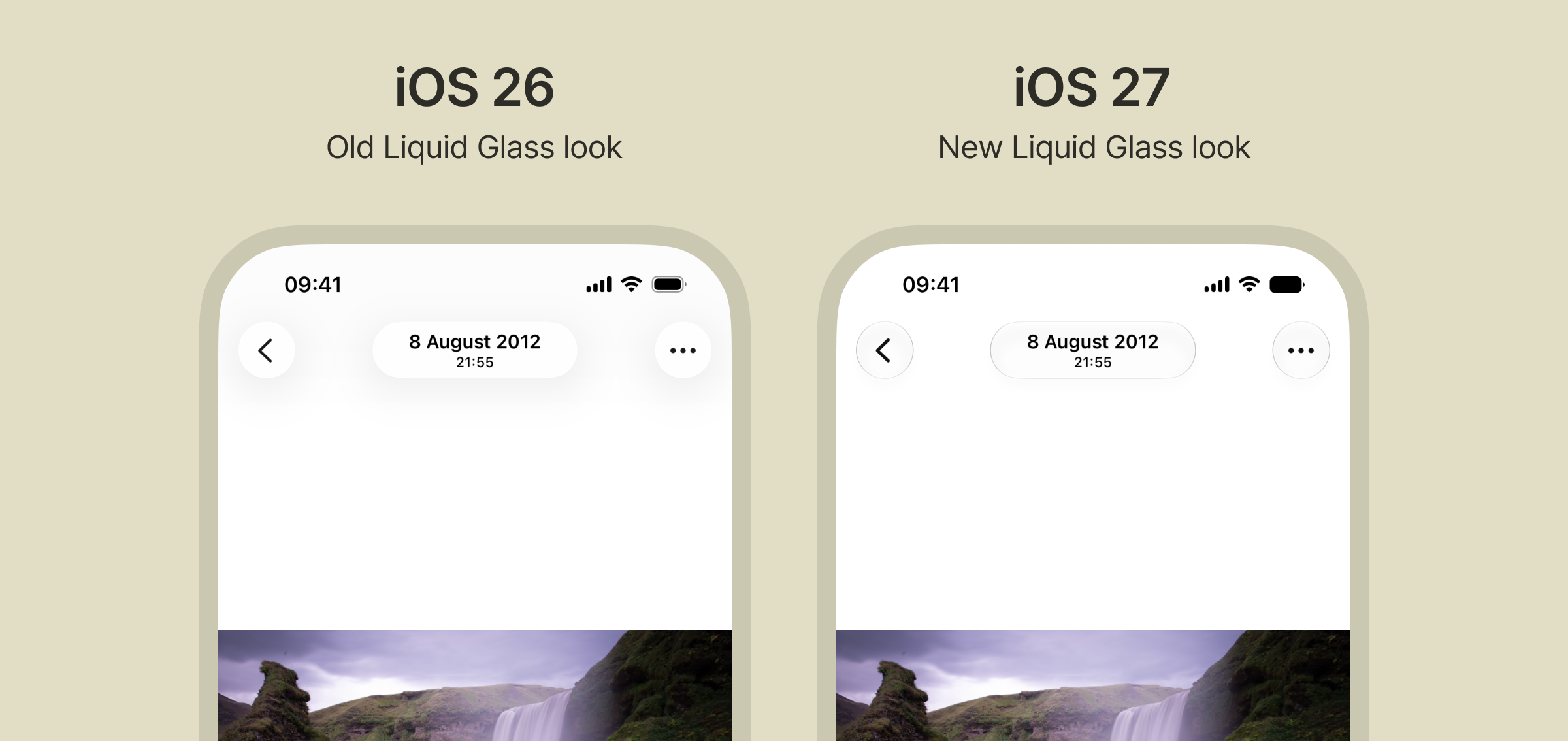
This is especially noticeable on plain white surfaces, where the Liquid Glass elements are much more easily distinguishable from the background.
Dark glass is lighter
The appearance of Liquid Glass in dark mode is much lighter in iOS 27.
As a consequence of this, the background of the selected item in the tab bar is now darker instead of lighter.
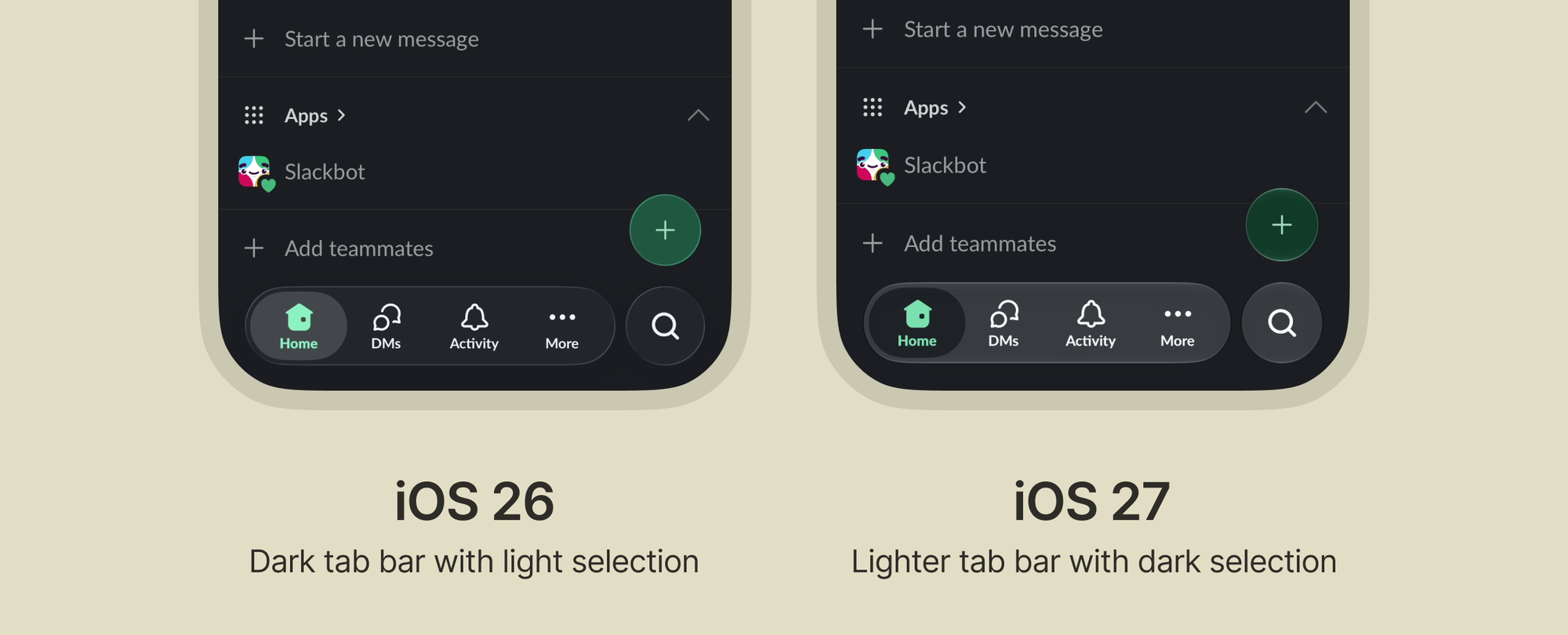
If your app uses bottom sheets with custom colors, you might need to adjust them to ensure good contrast against the sheet background.
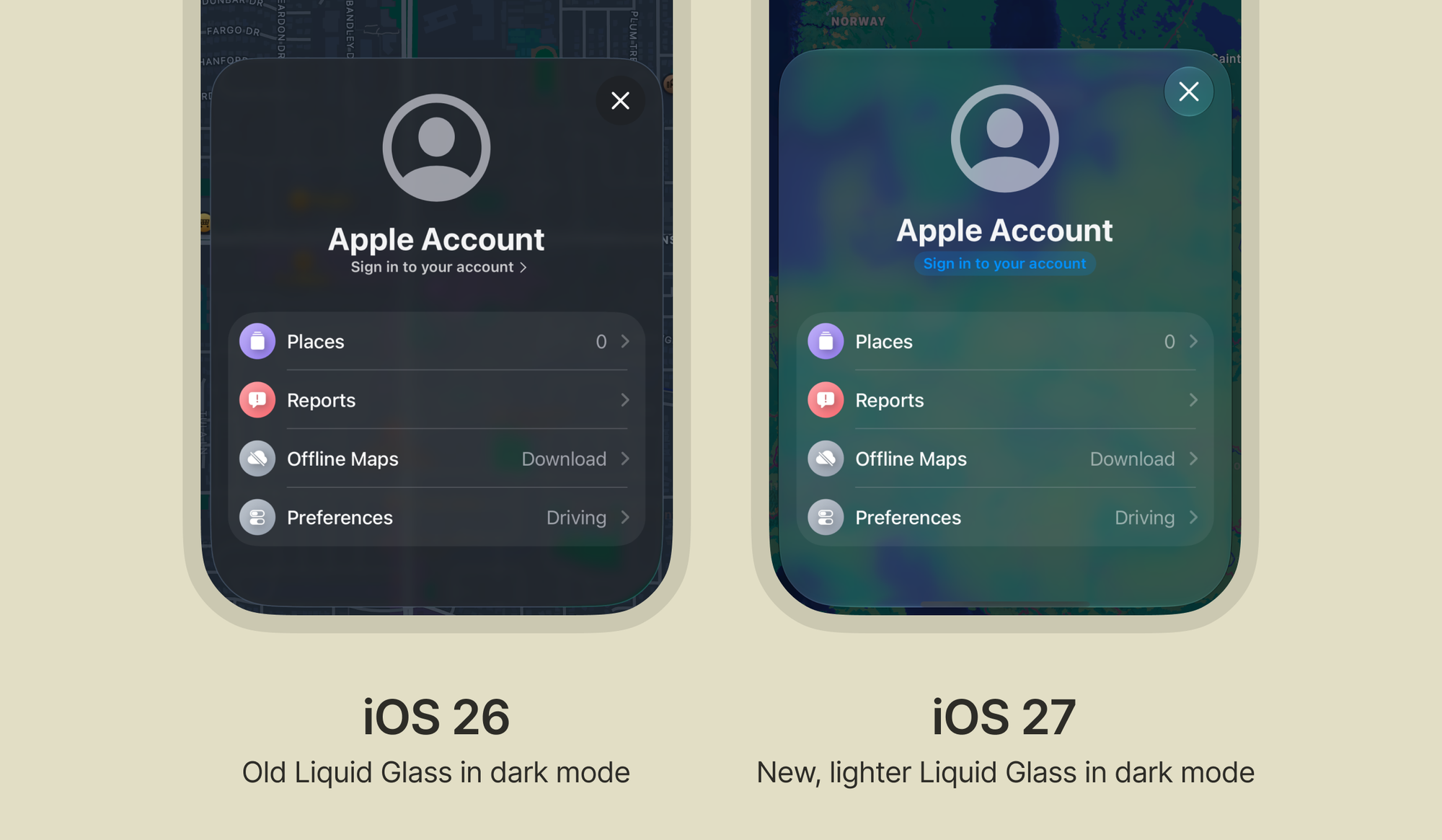
You might also notice that the close button in small bottom sheets is much more visible now in iOS 27 compared to iOS 26, where the container and background were almost invisible.
New Liquid Glass slider
With a new Liquid Glass slider in system settings, users can now decide how transparent or opaque they want Liquid Glass to appear on their device.
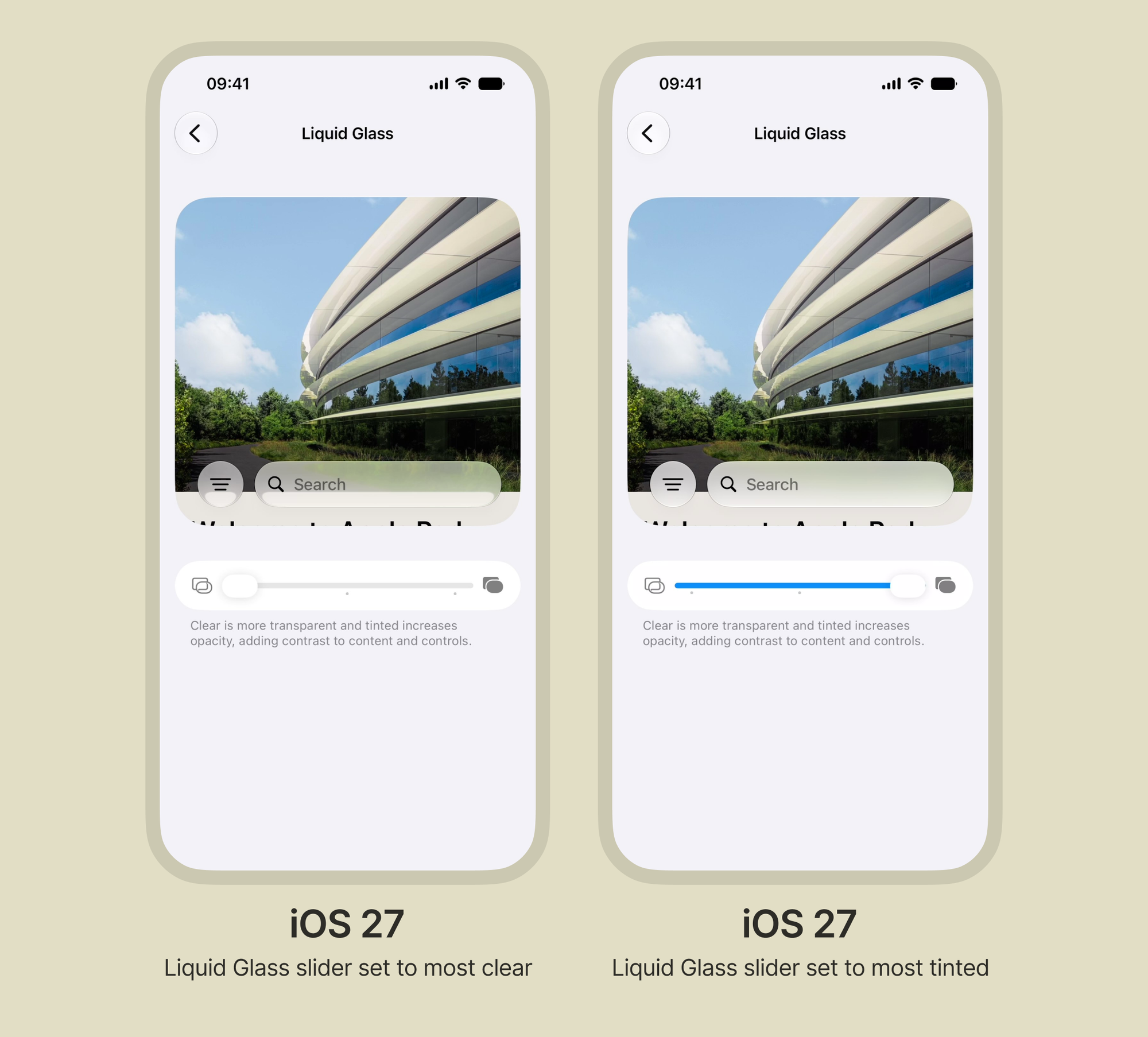
This affects all apps (not only system apps) and works automatically with native components, so it's worth testing your app across the full slider range to see how it looks for different users.
Better contrast on colored buttons
Prominent Liquid Glass buttons in iOS 26 had pretty poor label contrast, especially against yellow and orange backgrounds.
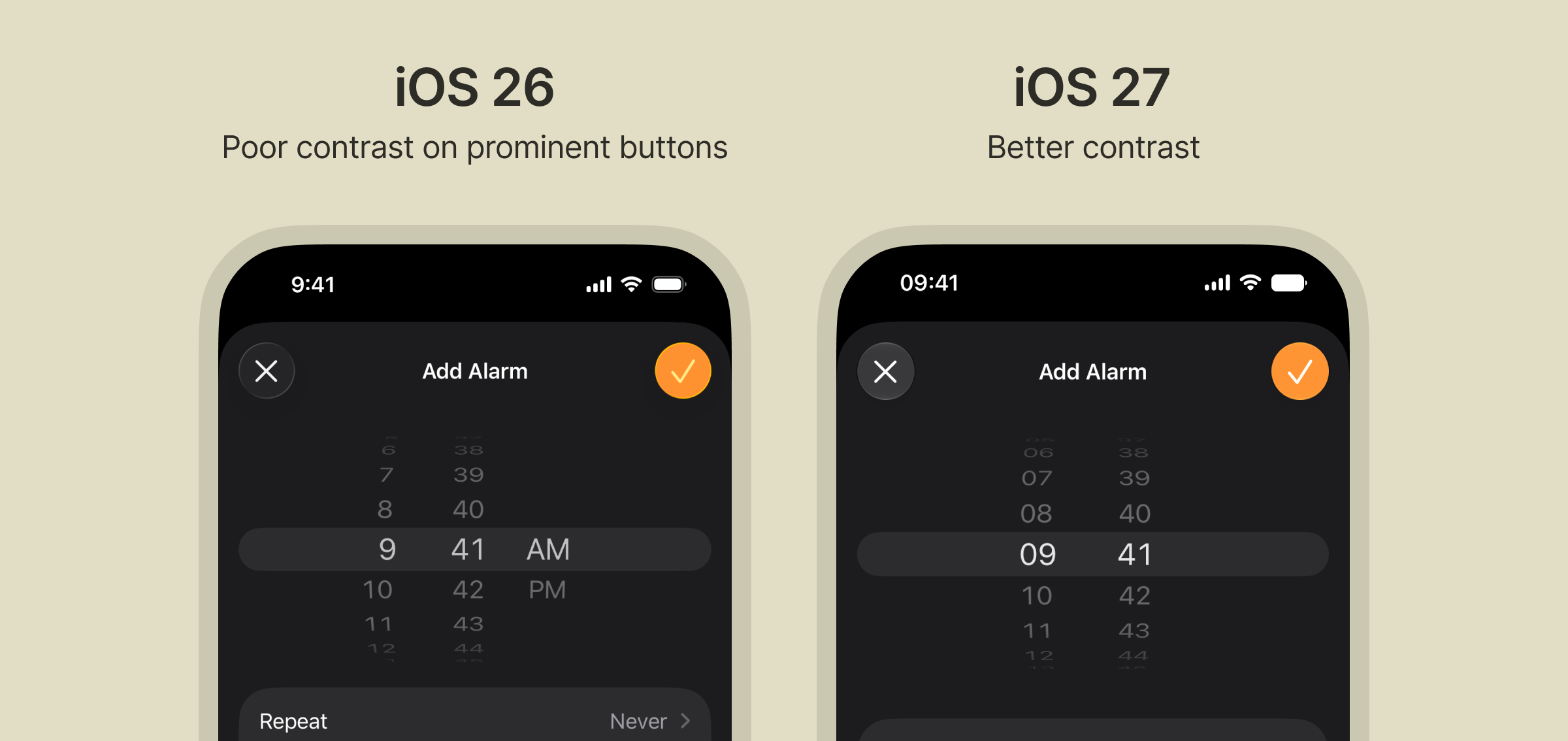
Although you could always set the label color manually to ensure good enough contrast, the default tint now provides better contrast out of the box.
Changes to the scroll edge effect
The default scroll edge effect has been changed from the soft gradient blur introduced in iOS 26 to a “hard” blur with a bottom border, similar to how it looked in iOS 18.
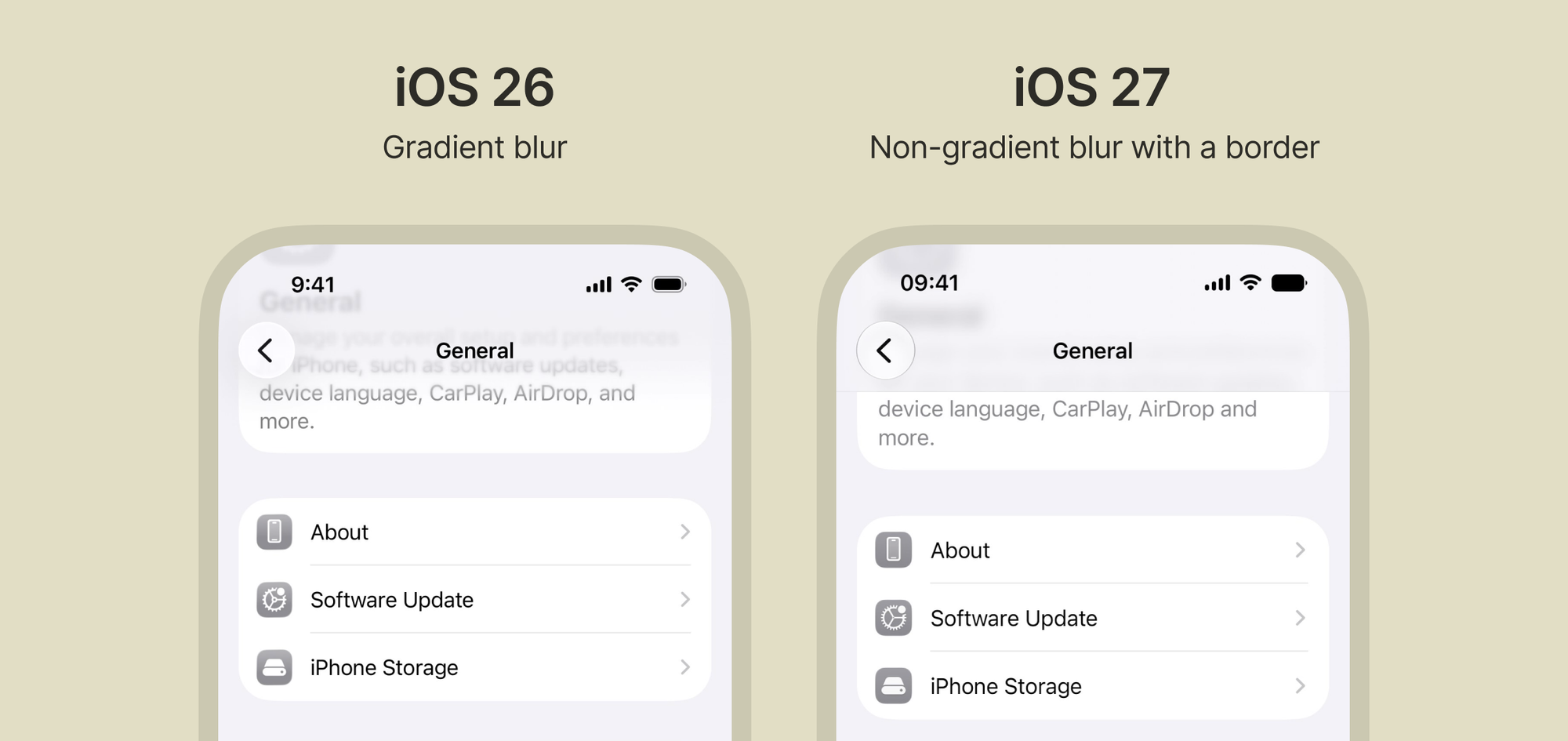
You can still set the scroll edge effect to .soft, which makes it look more like iOS 26.
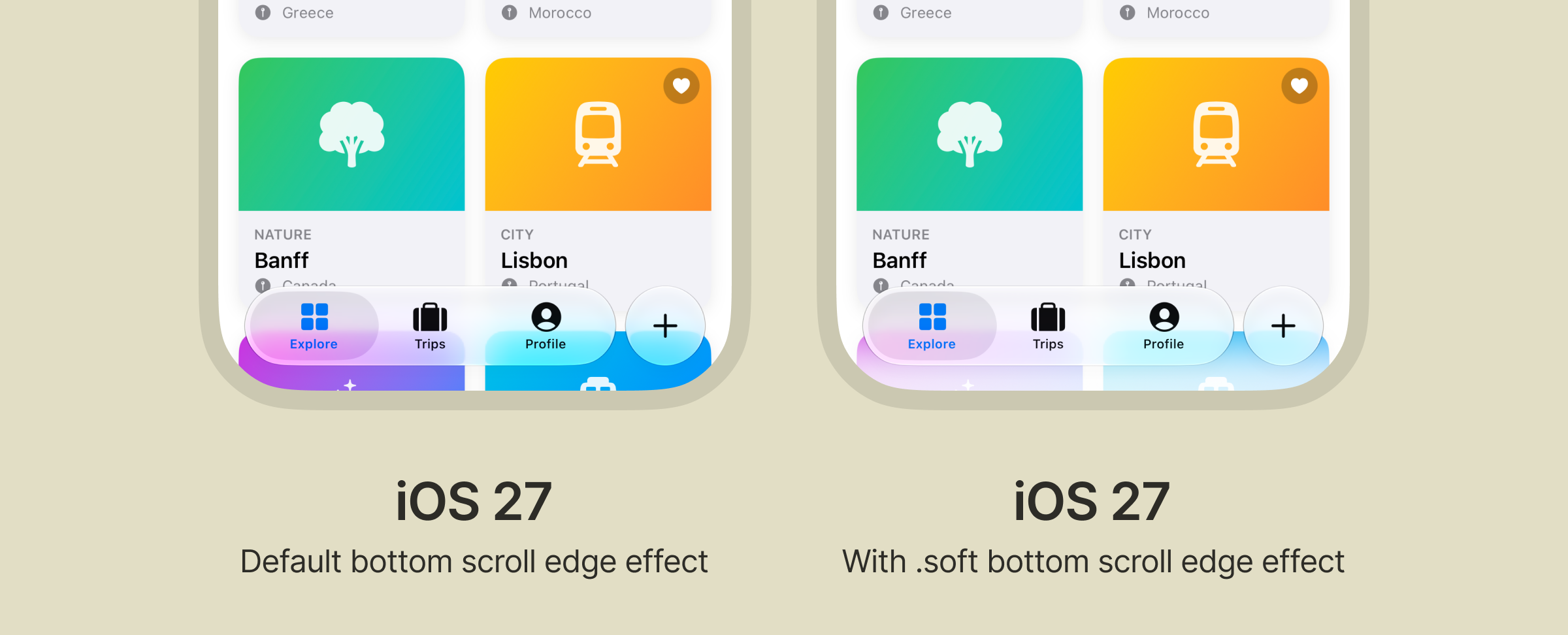
It’s also worth noting that there is no longer a visible scroll edge effect at the bottom of the screen. If you want to keep the iOS 26 appearance, you need to explicitly set the scroll edge effect to .soft. This seems like an odd change since it makes the tab bar less legible, but this is something that could change in the final version of iOS 27.
New features in SwiftUI and UIKit
Prominent tab role
iOS 26 introduced the search role, which separates the search tab from the rest of the tab bar.
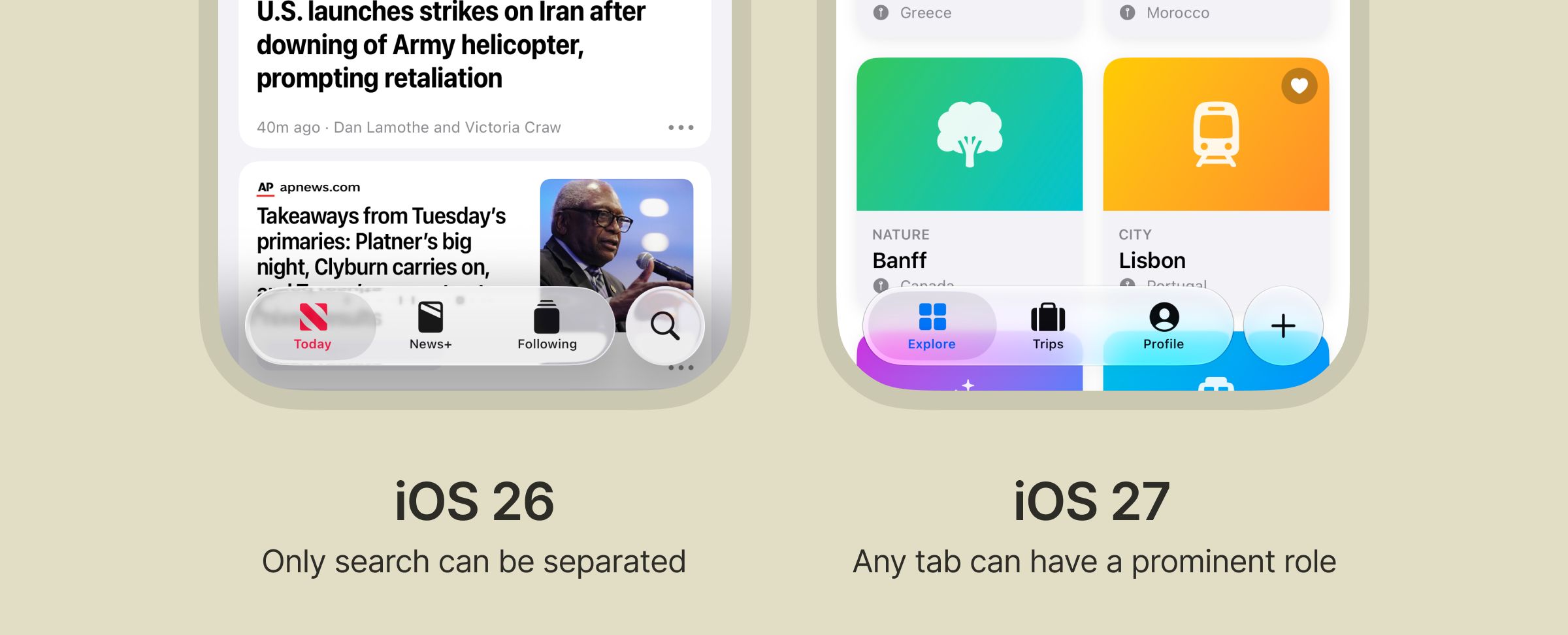
In iOS 27, a new prominent role can be applied to any tab (meaning not just search) to make it stand out from the other tab bar items.
Swipe actions available in any view
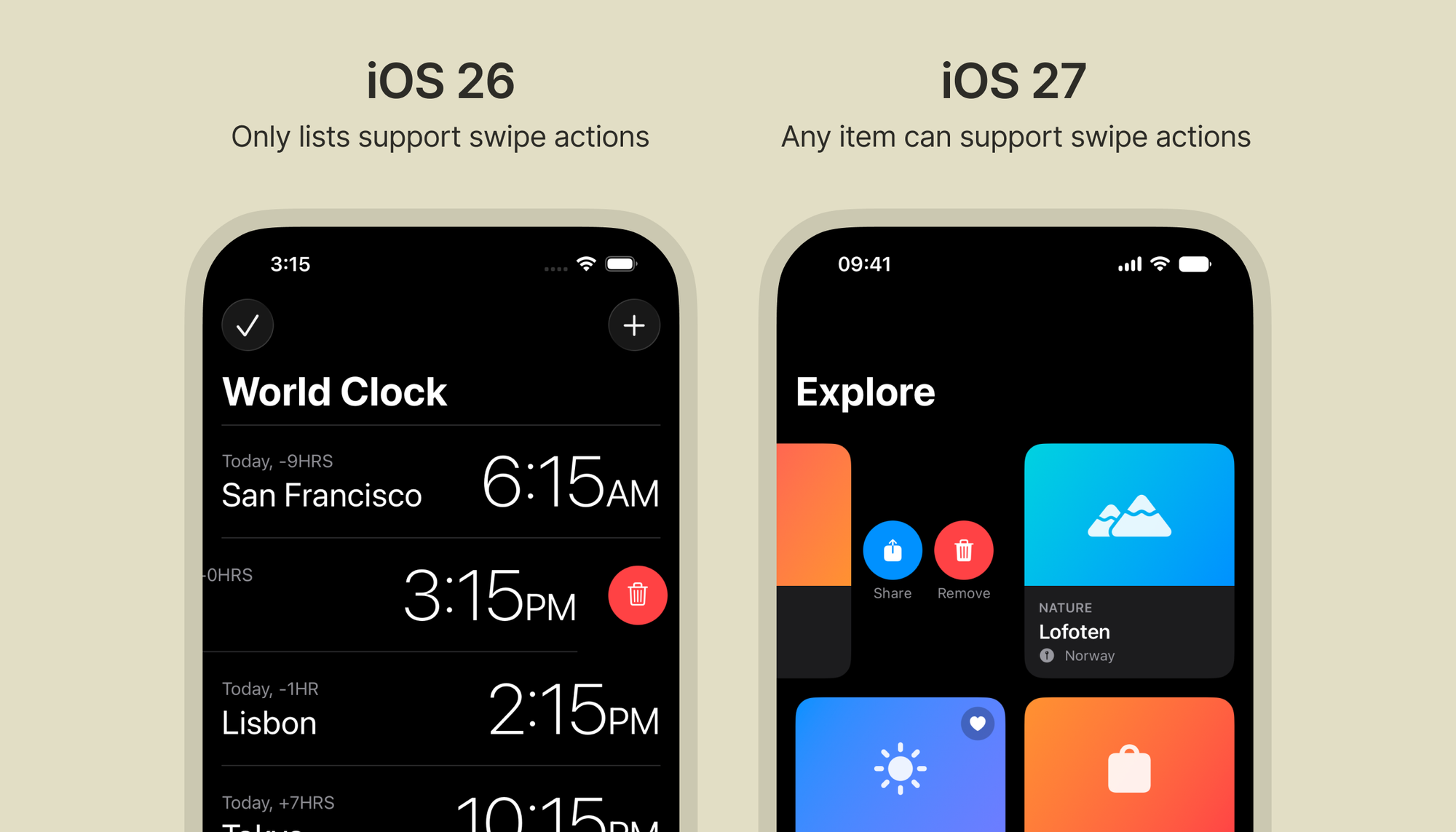
Previously, native swipe actions (such as delete or pin) were only available on the list component, but now they can be used for any item in a scrollable view.
Sidebar support added to iOS
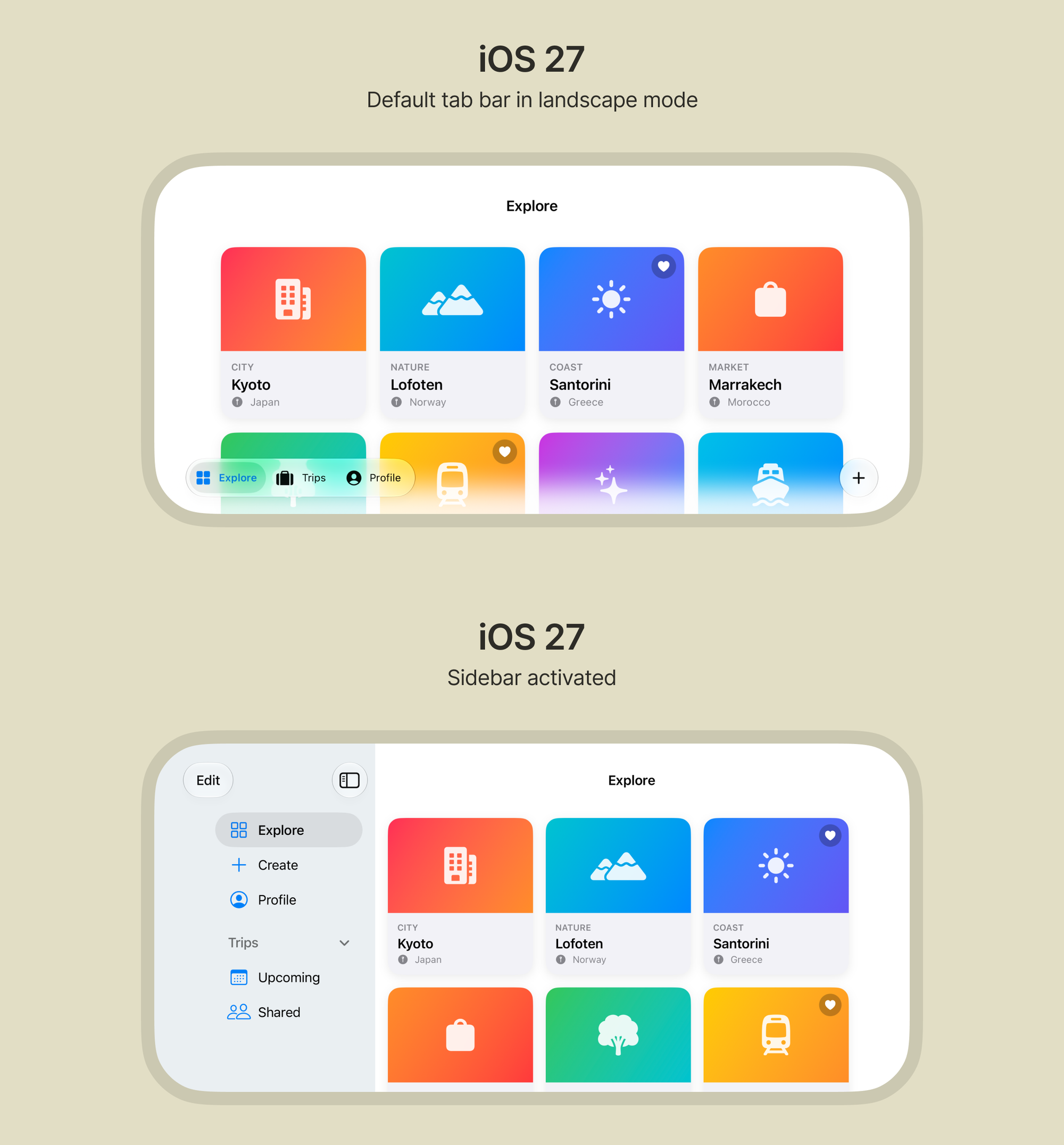
iOS devices can now use a sidebar in landscape mode. Previously, this was only available on iPadOS.
New tools
Device Hub app
Device Hub is a new standalone app that comes with Xcode 27. It allows you to test your app on different simulator devices and screen sizes, or connect your own device.
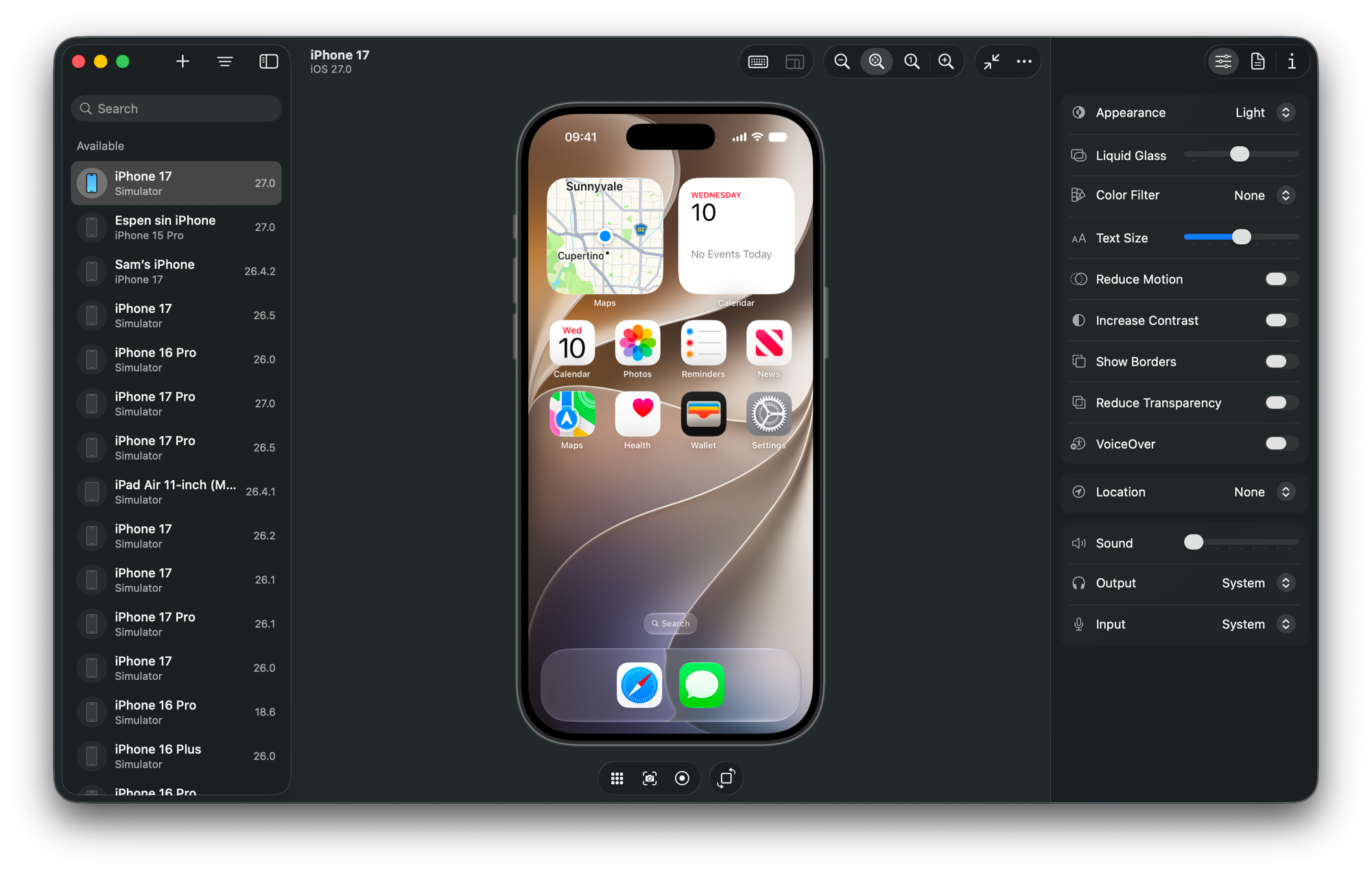
The app lets you toggle between light and dark mode, increase text size, and turn on and off accessibility features, making it a great tool for doing app testing and quality assurance.
You can download Xcode 27 Beta to get Device Hub here.
New ways to showcase your app in the App Store
Coming this fall, App Store will let you add a header to the top of your app page, using either an image or a video. This is something that was previously only available to a few select apps.
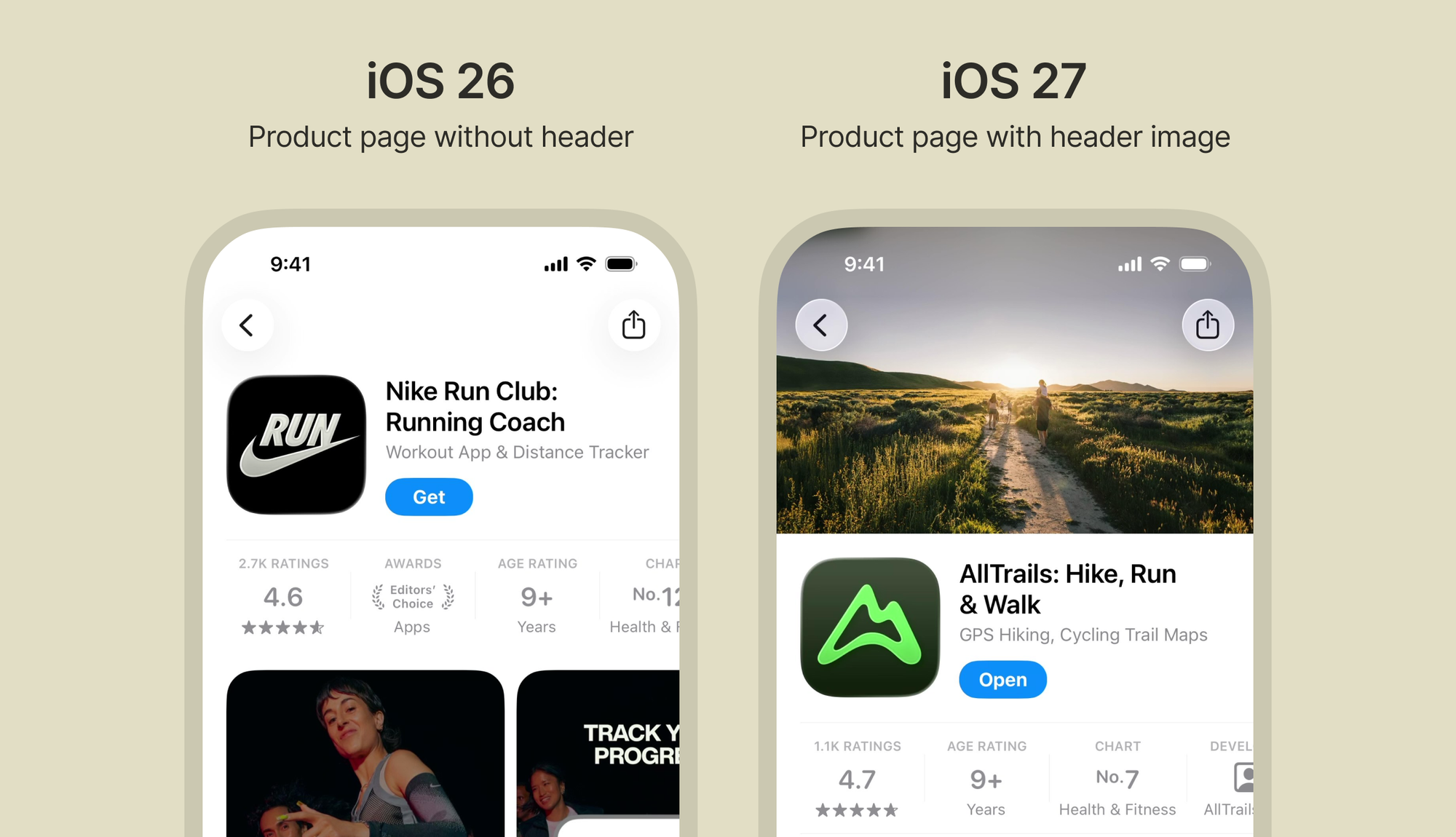
In search results, you can choose to display a large image instead of the usual screenshots, as a different way to showcase your product.
In summary
Here’s what’s new in iOS 27:
- There’s no longer a way to turn off Liquid Glass on native components
- Liquid Glass has a different look, with more defined borders and a lighter look in dark mode
- Any tab item can be highlighted with the new prominent role
- Swipe actions can be used with any item in a scrollable view
- The tab bar now supports sidebar view on iOS devices in landscape mode
- Device Hub makes it easier to test your app with different accessibility settings
- App Store supports new product page headers and using a large image instead of screenshots in search results